
The MyVideo.Email Chrome extension is currently in pre-release and not yet listed in the Chrome Web Store.
Use the steps below to download and install it manually in Chrome.
Before You Start #
- Use a desktop/laptop computer with Google Chrome installed.
- You must have a MyVideo.Email account and login.
- Have the extension ZIP file download link ready.
Step 1: Download the Extension ZIP #
- Open this download link
- Save the ZIP file to your computer (for example, Downloads).
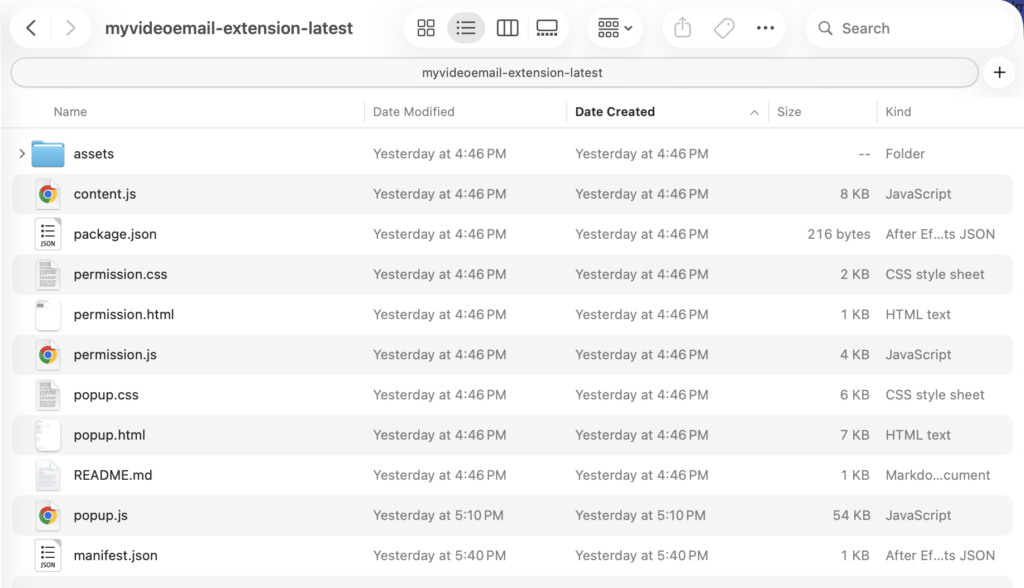
Step 2: Extract the ZIP File #
- Locate the downloaded ZIP file.
- Unzip/extract it to a folder in a location where it can stay and not get deleted.
- Do not delete this folder after install (Chrome loads the extension from it).
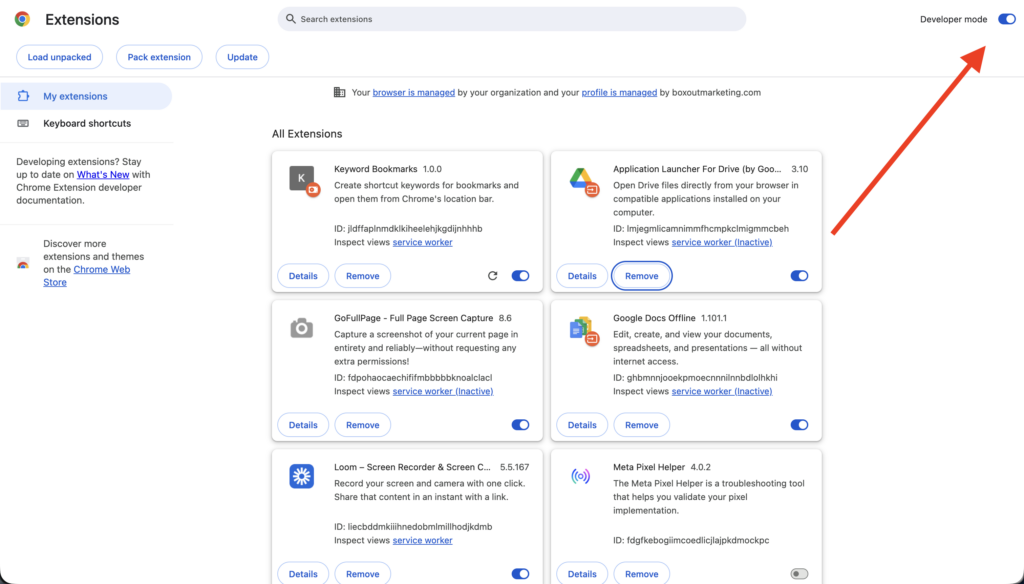
Step 3: Open Chrome Extensions Page #
- In Chrome, go to: chrome://extensions
- Turn on Developer mode (top-right).
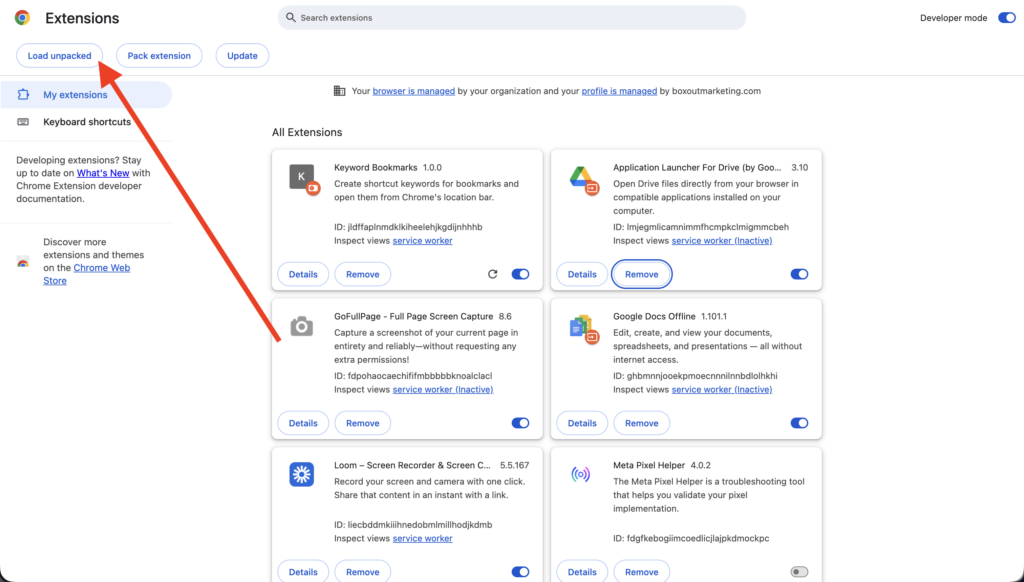
Step 4: Load the Extension #
- Click Load unpacked.
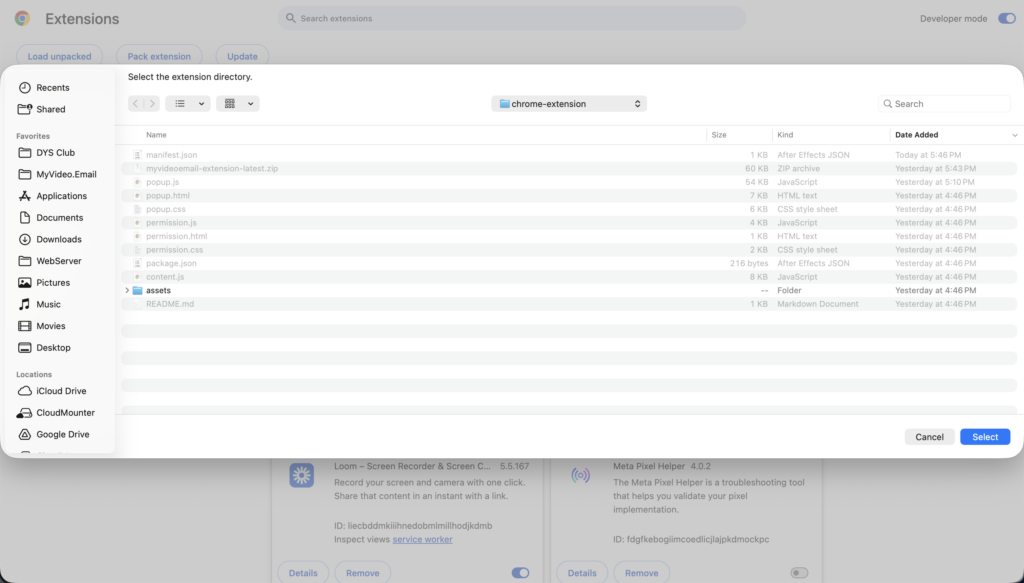
- Select the extracted extension folder (the folder that contains manifest.json).
- Click Select.
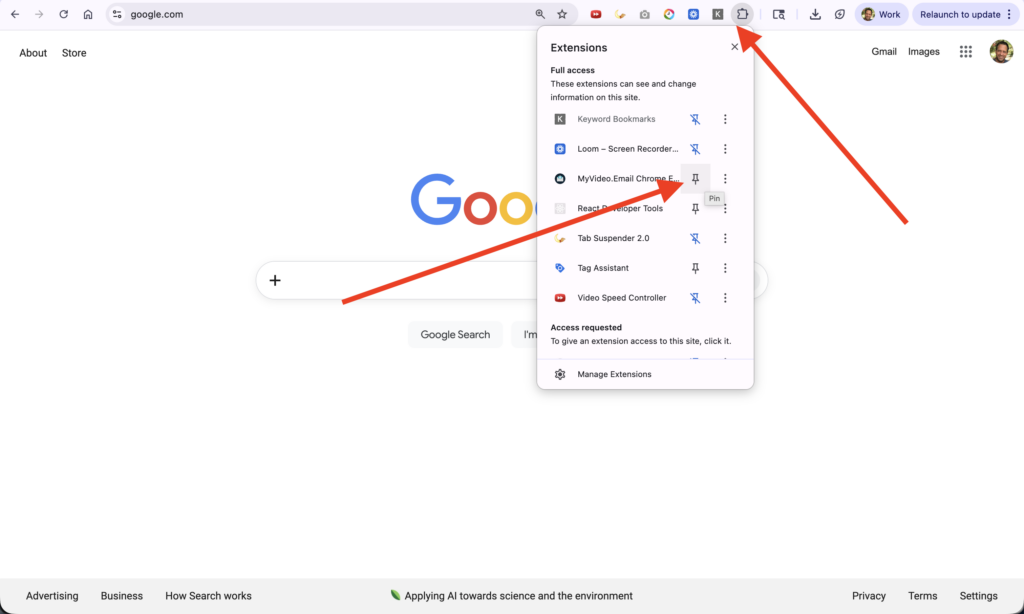
Step 5: Pin the Extension #
- Click the puzzle icon in Chrome toolbar.
- Find MyVideo.Email.
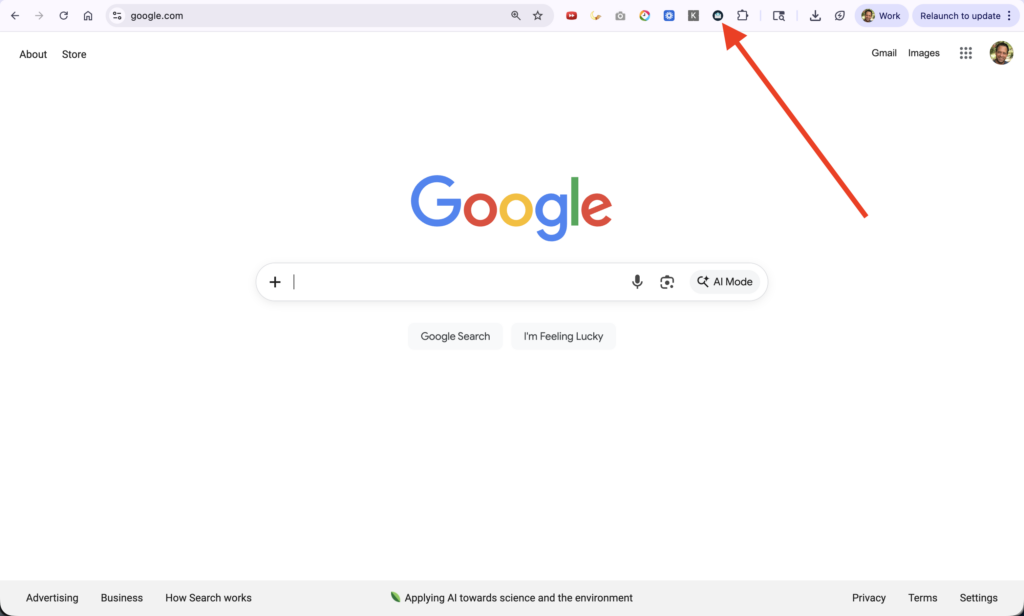
- Click the pin icon so it stays visible.
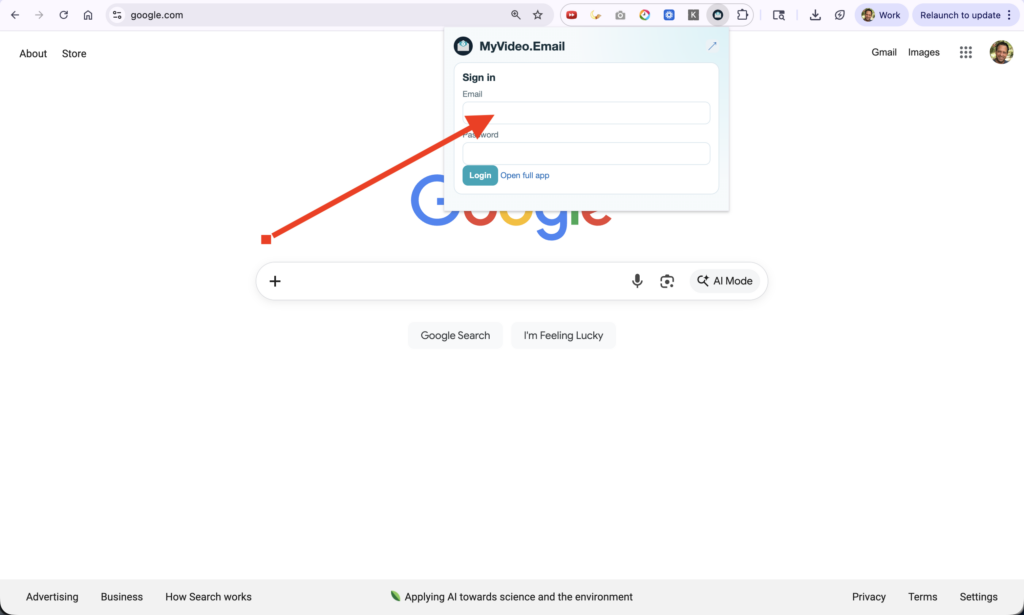
Step 6: Open and Sign In #
- Click the MyVideo.Email extension icon.
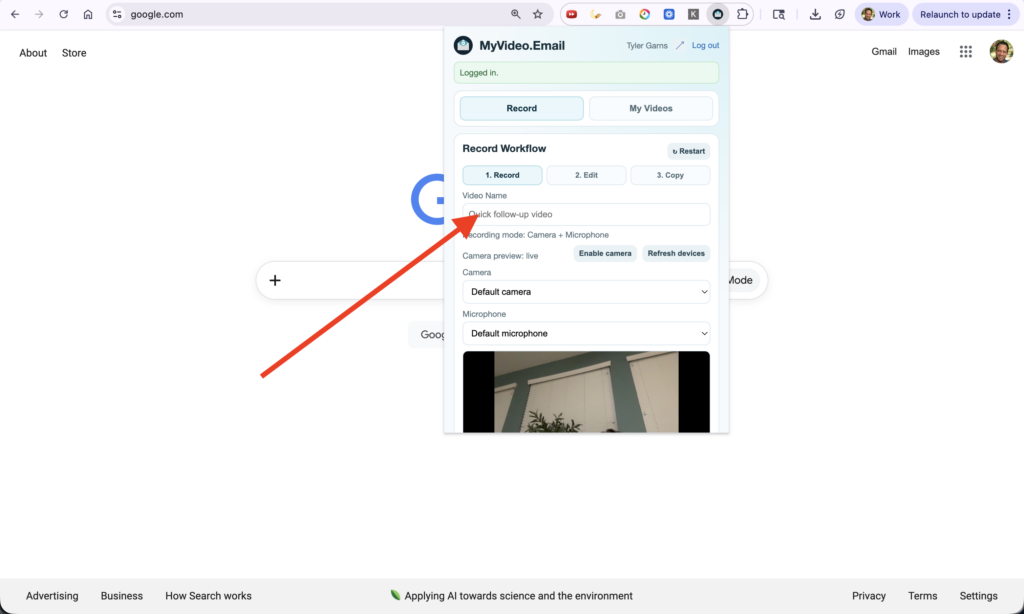
- Log in with your MyVideo.Email account.
- If prompted, allow required browser permissions (camera/microphone).
[Screenshot Placeholder: Camera/microphone permission prompt]
Updating to a New Version #
Since this is manually installed:
- Download the new ZIP.
- Extract to a new folder (or replace old extracted files).
- Go to chrome://extensions.
- Find MyVideo.Email and click Reload.
[Screenshot Placeholder: Extension card with Reload button]
Uninstalling the Extension #
- Go to chrome://extensions.
- Find MyVideo.Email.
- Click Remove.
[Screenshot Placeholder: Remove extension confirmation dialog]
Troubleshooting #
- “Load unpacked” is disabled: Turn on Developer mode.
- Install fails: Make sure you selected the folder containing manifest.json, not the ZIP.
- Camera/mic not working: Check Chrome site/extension permissions and retry.
- Extension seems out of date: Reload the extension from chrome://extensions.
If you want, I can also write a shorter “quick install” version and a matching “troubleshooting install errors” article.


